
3d Animation is everywhere! It is on televisions, cinemas, and internet. It is used in advertising and entertainment. There are lots of 3d animation, there are the 3d animated film, 3d games, 3d animated commercials, 3d cartoons and others even use 3d animations as a video for occasions. I knew all of these since I was a kid. And then going back at my childhood days, I remember of dreaming to a cartoonist/animator for films or games. That was the time too when I was really obsessed with PS2. But years later, as i entered college my ambition to be an animator lie low and there came my ambition to be a webmaster. But, there's still my love for art.
Few years later, I've noticed myself, doing lot's of art stuff but with the aid of computer. I am doing photo manipulations, digital painting, graphics designing and animating with flash. And a week ago, I decided to start studying 3ds Max.
Below is a flash video of my first ever 3d animation. It is an animated hourglass, it is on the tutorial of 3ds Max. Hope you enjoy!
Monday, February 4, 2008
3D Animation, First Ever!

Thursday, January 31, 2008
Tuesday, January 29, 2008
How To Create A Water Splash
Wondering how to make a splash of water? Here's how.
1. Open the image that you are going to use. For this one I am going to use Barkada Trip's image.
2. Create a new layer and name it Splash. On the Splash layer create a cloud effect. Make sure that your background color is set to black and your foreground color is set to white. Go to Filter>Render>Clouds.
3. After creating clouds, go back to Filter>Stylize>Find Edges.
4. We will now adjust its levels by going to Image>Adjustments>Levels. Set the Input levels to 134 and 0.33.
5. Now we have to make another effect. Go to Filter>Sketch>Plaster. Set the Image Balance to 43 and the Smoothness to 11. You will see that it is almost alike with a splash of water, but we still have to make it realistic.
6.Delete the unwanted background in the Splash layer by using the Magic Wand. Set the Wand's Tolerance to 50, delete and then Deselect (Ctrl+D).
7.After deleting it, Set the Splash layer's Blending Mode to Soft Light. Tada! That's it!
Tuesday, January 15, 2008


Wednesday, January 9, 2008
Tuesday, January 8, 2008
My Purple Side


This one is another portrait of me which i made using painter x. I currently don't have graphic tablet (hoping to have one soon), I am using a mouse on making all of my works. I must be patient when I making one, because there are lot of times when I have to undo brush/pen/pencil. This one took me almost half a day (no break). Do you think it's worth it?
Thursday, January 3, 2008
Ghost Fighter on GMA 7?
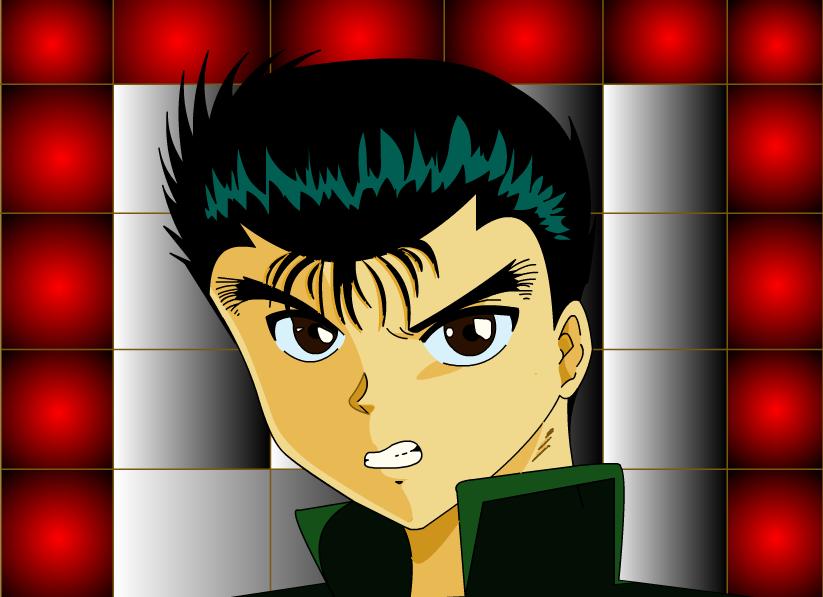
Yes, Ghost Fighter will be re-aired on GMA 7 starting January 14, 2008.
So watch out YYH fans!
I made this one using Flash 8 + mouse. Donation for graphic tablet is open, hehehe!
more flash vector...
Is she Angelina Jolie?

By the way, she is not angelina jolie, she is moi, hahaha! joke!
Sunday, December 30, 2007
Choco Linkies
The rule: When you get tagged, you have to add your name below the person who tagged you and by doing so you are letting the list grow. Make sure to copy with the urls to the addresses so anyone can click and visit these sites.
Limadang.com
RamblingMoo.com
blogginginmypyjamas
Chinneeq
Dora-zooropazoo
Babyshern
HiPnCooLMoM
Rachel’s Soulful Thoughts
When Silence Speaks
Dancing in Midlife Tune
Underneath it All
I am Dzoi
Hobbies and Such
moms…..check nyo
Choc Mint Girl
Amel’s Realm
My Thoughts
Rusin Roundup
Juliana’s Site
Max
Rooms of My Heart
Mariuca
A Great Pleasure
MondayMorning
LadyJava’s Lounge
Colin aka Cotojo
NafaSG
Hanna
My Life My World
Mommy’s Gibble Gabbles
Author’s Sweet Life
La Place de Cherie
Chez Francine
Confessions of an Army Wife
Bless Sanctuary
So cute lovely pixels
Just Say These Words
A Book By Accident
Soulful Thoughts of Rachel
Hailey's Bits and Beats
the other side of the monitor
Misery Loves Company
Now I am passing this to muzikarea! Happy New Year Everyone!
Friday, December 28, 2007
Haha when bored.
| Your Dating Purity Score: 74% |
 You are an under-experienced dater. This doesn't mean you're unexperienced - far from it. It just means that there's a lot of romance left to discover! |
Comic Strips Infolink
 I am just wondering, how come they call it Unlimited Texting while those texting "unlimitedly" have expiration dates? Hahaha! Funny Ayt?!
 This is just a common problem with a mother and her son. hehe!
 This is inspired by Charm. The three sisters are just stunningly beautiful to be a witch! hehe!
Sharon den Adel of Within Temptation
Alright, this one is a vector again, made in Flash 8, this is my fan art of within temptation. While making this one, of course I am listening to within temptation's mother earth album. My Favourite track there, and my favourite song of WT is yeah ICE QUEEN. This song reminds me of the storm Milenyo, hehehe!
Vectors made in Flash
These two vectors above are made in Flash 8, estimate time is 3 hours per vector.
Johnny Depp

This is a vector of the sexiest male Johnny Depp. I used Photoshop 7 in making this one. Time is about 5 hours. This is my first creation of vector using Photoshop.
Right now, I can't wait to watch Sweeney Todd! ^_^ Johnny Depp fans Enjoy!





 RSS Feed (xml)